
A year ago I was sitting in class writing a Unity script with Claude Code. Copying the output, pasting it into the editor, hitting play, watching it break, copying the error back into Claude. You know the drill.
My TA walked by, looked at my screen, and said "bro, just use an MCP for that."
I was like... what the hell is an MCP?
That dude has no idea who I am or that our 30-second conversation completely changed how I use Claude. I went home, installed my first MCP, and watched AI open Unity and start editing my game by itself. No copying. No pasting. Just... doing it.
MCP (Model Context Protocol) lets AI control real software. Not generate text about it. Actually open the app, click the buttons, and build the thing. In real time. While you watch.
Since then I've used MCPs to build my entire portfolio. The 3D ocean, the interactive animations, even this newsletter. Here are 15 that feel like cheat codes.
All free. All real. All available right now.
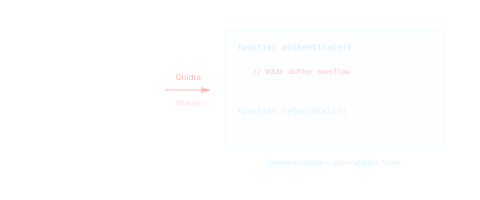
1. Ghidra MCP (AI Reverse Engineers Software)
Link · 179 tools
Let's start with the one nobody sees coming.
Ghidra is the tool the NSA built for taking apart compiled programs to see how they work. The MCP gives AI all 179 of those tools. Decompile code, trace function calls, rename variables, find security holes. Your AI reads raw machine code and explains it in plain English.
You hand it any compiled program and say "what does this do?" and it takes the whole thing apart like a mechanic with an engine.
Real use cases:
- CTF competitions. AI finds the flag by analyzing the binary faster than most human teams.
- Security audits. "Find every place this app handles user input and check for buffer overflows."
- You found a cool app and want to know how it works under the hood. Now you can.
2. Mobile MCP (AI Controls Your Phone)
Your AI controls your actual phone. Not a simulator. Your real iPhone or Android sitting on your desk.
It takes screenshots of your screen, reads every button and text field, taps, swipes, and types. Your phone becomes a puppet that AI operates in real time.
Real use cases:
- Test your mobile app on a real device. AI taps through every screen, finds crashes, reports exactly what happened.
- Automate repetitive phone tasks. AI fills out forms, navigates menus, takes screenshots of the results.
- QA your app across 10 different devices in parallel. No human needed.

3. HomeKit MCP (AI Runs Your House)
AI controls your smart home. Lights, locks, thermostat, cameras, garage door. Anything connected to Apple HomeKit.
"Turn off everything except the living room, set it to 68, lock the front door." One sentence. Done.
Real use cases:
- Build automations too complex for the Home app. "If it's past 11pm and my phone is charging, dim all lights to 10% and lock every door."
- Voice-free smart home control right from your coding terminal
- AI monitors your energy usage patterns and suggests ways to cut your bill
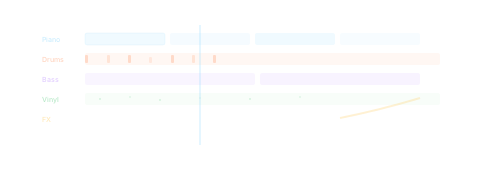
4. Ableton MCP (AI Makes Real Music)
Not fake AI music from a web app. Real Ableton Live sessions with tracks, instruments, MIDI, effects, and mixing.
You say "chill lo-fi beat with a jazzy piano, vinyl crackle, and boom-bap drums" and it builds the session in Ableton. You hear it immediately.
Real use cases:
- Score a short film with AI composing directly in your DAW
- Generate 10 variations of a beat and pick your favorite
- Create all the sound design for a game or app. Menu clicks, transitions, ambient backgrounds. All built in Ableton.
5. Rive MCP (Duolingo-Quality Animations)
Link · 132 tools
You know those Duolingo animations? The bouncing owl, the springy buttons, everything feeling alive and playful? That's Rive. And now AI controls all 132 tools.
Shapes, bones, meshes, state machines, physics, scroll interactions, data binding. One prompt creates an interactive animation that would take a motion designer a full day.
Output is a production-ready .riv file that runs everywhere. iOS, Android, web, React, Flutter.
Real use cases:
- Create a full onboarding flow with animated characters that react to user input
- Build interactive product tours where elements spring, bounce, and respond to scrolling
- Replace every static icon on your site with one that has personality and movement

6. Roblox Studio MCP (Build Games From Your Terminal)
Link · Official
Roblox officially built this into Studio. Not a community plugin. Roblox themselves shipped it.
Your AI sees your entire game tree. Every part, every script, every object. Reads code, writes code, creates objects, sets properties. All without touching the Studio UI.
Pair it with Rojo (syncs your project to regular files) and your AI manages the game like a normal codebase. Git version control. Bulk refactors. Automated playtesting.
Real use cases:
- Build a full obby with 10 stages, checkpoints, and a leaderboard in one prompt
- Refactor every script in your game to use a new module system
- Find and fix every memory leak across your entire place
7. Unity MCP (Debug Without Copying Logs)
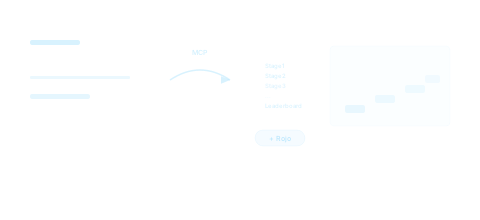
Your AI becomes a Unity developer that can open your project, move objects, edit scripts, hit play, see what happens, and fix bugs. Not a code generator. A developer.
The killer feature: any C# method becomes an AI tool with one line of code. Your AI knows your game, not just Unity in general.
Real use cases:
- "Add a health bar, make it drain on damage, add a death screen with restart." Done. Tested. Working.
- Game crashes? AI reads the error inside Unity, finds the bug, fixes it, runs again. No copying logs into a chat window.
- Prototype 5 different enemy AI behaviors and let AI playtest each one to see which feels best
8. Blender MCP (Text to 3D Model)
Link · 11,000+ GitHub stars
The one that started the creative MCP movement. "Make a low-poly island with palm trees" and AI opens Blender and builds it. A real 3D model you can rotate, export, and use.
Real use cases:
- Generate product mockups for your store. AI models the product, sets up studio lighting, renders a shot.
- Create 3D assets for your game without knowing Blender
- Build an entire scene for a music video or short film from a text description
9. Playwright + Screenshot MCP (Visual QA on Autopilot)
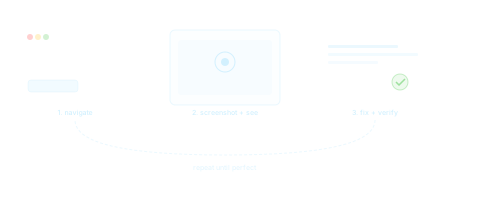
Two MCPs that become something special together. Playwright controls a browser. Screenshot lets AI actually see what's on screen. Together: a visual QA loop that runs itself.
I use this on my portfolio after every change. AI opens every section, screenshots it, checks for problems, fixes them, checks again.
Real use cases:
- Visual regression testing. AI compares before/after screenshots and flags differences.
- Test your signup flow end-to-end. AI fills forms, clicks buttons, verifies success screens.
- Check your site on different viewport sizes and catch responsive bugs before users do.
10. Figma MCP (Code From Real Designs)
Link · Official
Figma's own Dev Mode MCP. AI reads the actual layer hierarchy, auto-layout rules, variants, text styles, and design tokens. Not a screenshot. The real thing.
Code matches your design system perfectly because AI reads the source of truth.
Real use cases:
- Select a complex card in Figma, get pixel-perfect React + Tailwind code in seconds
- AI audits your designs for accessibility issues. Contrast, touch targets, text scaling.
- Sync design token changes across your codebase automatically
11. Context7 MCP (No More Outdated Docs)
Link · Most popular MCP of 2026
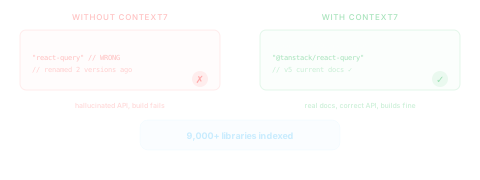
The most popular MCP server in 2026 for a reason. Context7 feeds AI real-time, version-specific documentation for over 9,000 libraries. No more hallucinated APIs. No more code examples from 3 versions ago.
Just add "use context7" to your prompt and AI pulls the current docs for whatever library you're using.
Real use cases:
- Working with a new library? AI gets the actual current docs instead of guessing from training data.
- Your code breaks after an update? Context7 knows about the breaking changes and shows AI the migration guide.
- Trying to use an obscure feature? AI finds the exact right documentation page instead of making something up.
12. PostHog MCP (AI Tells You What to Build)
Most MCPs tell AI how to build. PostHog tells it why.
Connects AI to your analytics. User behavior, feature adoption, error rates, funnel drop-offs, feature flags. AI doesn't guess what to build. It looks at the data.
I use it on my portfolio to see which sections people spend time in, which easter eggs they find, and where they leave.
Real use cases:
- "Which pages have the highest bounce rate this week and what's probably causing it?"
- "Compare conversion rates between the old and new signup flow"
- AI notices a feature has 2% adoption and suggests specific UI changes to improve it
13. ReactBits MCP (135+ Animated Components)
Link · 135+ components
Ask AI to add a component to your page and it pulls from 135+ animated React components. WebGL backgrounds, text animations, scroll effects, button interactions. All production-ready.
No more building animations from scratch. No more searching through component libraries. AI knows every component and drops in the right one.
Real use cases:
- "Add a gradient mesh background that responds to mouse movement" and it picks the right component, installs it, and wires it up
- "I need an animated text reveal for my hero section." Done. With the right easing, timing, and style.
- Browse components by category and quality score. Backgrounds are 9.8/10.
14. Publora MCP (Post to 11 Platforms at Once)
Link · 11+ platforms
AI writes your post, picks the best time, and publishes to Instagram, LinkedIn, X, TikTok, YouTube, Threads, Telegram, Facebook, Pinterest, Mastodon, and Bluesky. All from one prompt.
This is the content distribution engine. Write once, post everywhere.
Real use cases:
- "Write a thread about my new project, adapt it for Twitter, LinkedIn, and Instagram, and schedule all three for tomorrow morning"
- Build a full week of content in 10 minutes
- AI analyzes your best performing posts and generates new ones in the same style
15. Spotify MCP (Just Fun)
AI controls your Spotify. Play music, build playlists, manage your library. Not the most productive MCP on this list. But definitely the most fun to show people.
Real use cases:
- "Make me a playlist of songs that sound like Tame Impala but aren't Tame Impala"
- "Instrumental coding music. 20 songs. Electronic, lo-fi, and ambient. Nothing I've already liked."
- The best demo when someone asks "what can AI actually do?"
The Bigger Picture
A year ago, AI could write code. Today, AI uses software.
These 15 are just the beginning. Over 20,000 MCP servers exist on public registries right now, growing every week.
The people who chain these together into workflows are going to build things that look like magic to everyone else. That's not hype. That's what happens when you give AI hands.
Start with one. Pick whichever matches what you're building. Install it tonight.
You'll never go back.